How to Run Tests
Running tests in GdUnit is a straightforward process, and you have several options to choose from:
Using the GdUnit Inspector
The GdUnit Inspector provides various options to run single unit tests or sets of testsuites:
-
Using the Button Bar: You can use the buttons available in the GdUnit Inspector’s to run tests.
Refer to the Button Bar section for more details. -
Using the Inspector Tree: The Inspector Tree allows you to run tests from a hierarchical view.
Explore the Test Run Overview Tree section for instructions on running tests using this approach. -
Using the Run Overall Button: The Run Overall button enables you to run all tests at once.
Find more information in the Run Overall Button section.
Using the Editor Context Menu
The Editor Context Menu provides options to run or debug individual test cases or entire testsuites:
- Using the Context Menu: You can right-click on a specific test case or testsuite in the editor and select the appropriate option from the context menu.
For detailed steps, refer to the Using the Context Menu section.
Using the FileSystem Context Menu
The FileSystem Context Menu allows you to run or debug individual testsuites or sets of testsuites by selecting the desired testsuite or folder. The context menu is context-sensitive: selecting a folder runs or debugs every testsuite it contains, while selecting a single script runs or debugs only that testsuite.
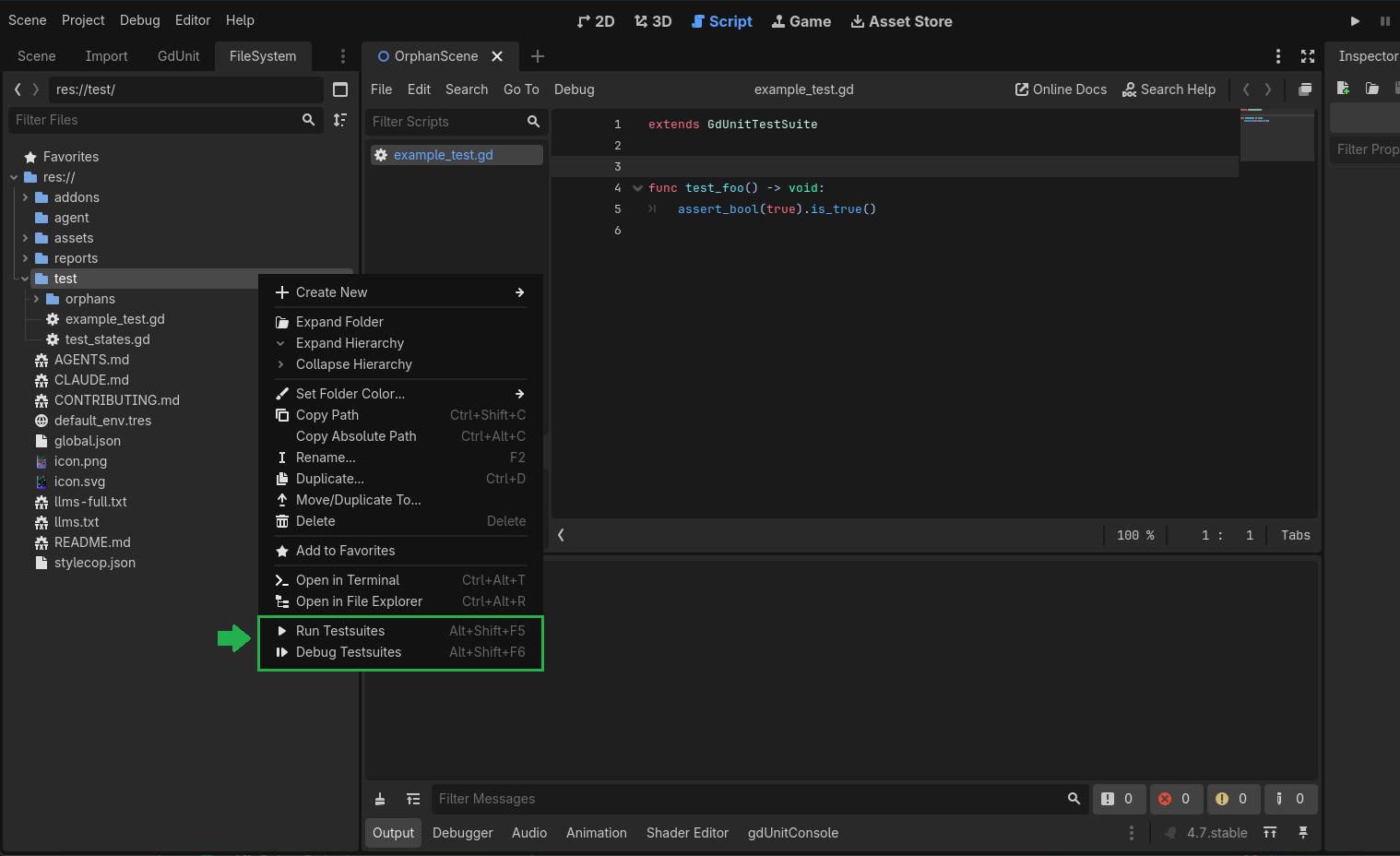
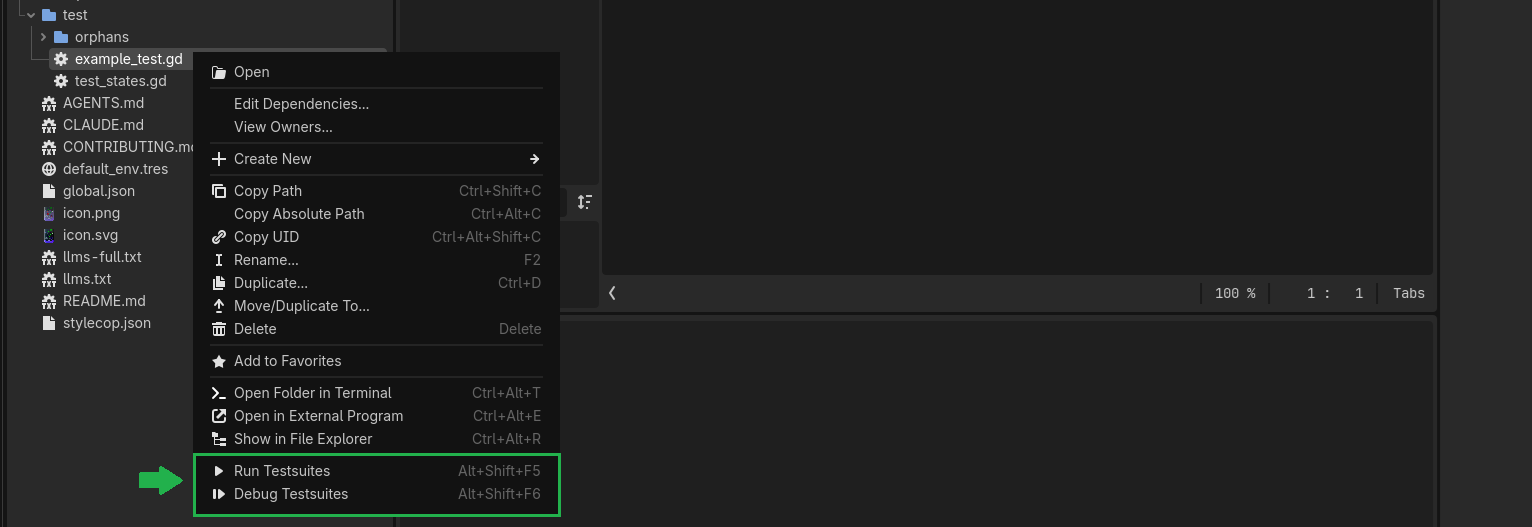
These options provide flexibility in running tests based on your preferences and requirements.
Using the Inspector Context Menu
The Inspector Context Menu provides options to run, debug, or manage the selected test or test suite directly from the Test Run Overview Tree. Right-click any item in the tree to open the context menu.
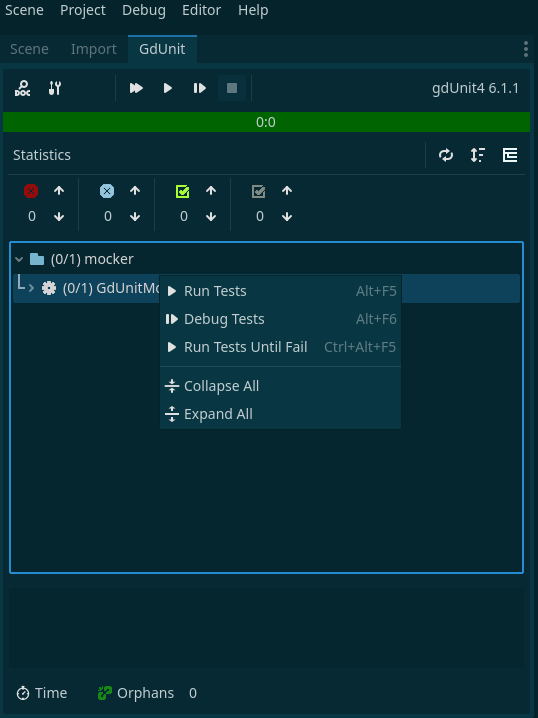
| Command | Description |
|---|---|
| Run Tests | Runs the selected test or test suite in runtime mode. |
| Debug Tests | Runs the selected test or test suite in debug mode. |
| Run Tests Until Fail | Repeatedly runs the selected test or test suite until a failure occurs. Useful for investigating flaky tests. The number of retries is configured via Rerun Until Failure Retries in settings. |
| Expand All | Expands all nodes in the test run overview tree. |
| Collapse All | Collapses all nodes in the test run overview tree. |