How to Fix Orphan Nodes
With GdUnit, you can easily identify orphaned nodes that are marked as WARNING in the GdUnit inspector. It is important to fix any orphaned nodes that are discovered to ensure that your project does not leak memory over time.
How to Recognize Orphan Nodes in Your Code
Finding the code location where the orphaned nodes are located can be a little difficult and often time-consuming. If you are not an expert and have no idea what the problem is, we recommend a step-by-step approach to find and fix orphan nodes. See Orphan Nodes for how GdUnit reports orphan nodes in the first place.
Here is a small example of a class with an orphan node:
extends GdUnitTestSuite


class MyClassWithOrphan extends Node:
    var orphan_node: Node

    func _init() -> void:
        orphan_node = Node.new()


func test_orphan_detected() -> void:
    var t := MyClassWithOrphan.new()
    assert_object(t).is_not_null()
    collect_orphan_node_details()
When we execute the testcase test_orphan_detected we will see no failures, but it ends with a warning detecting two orphan nodes.
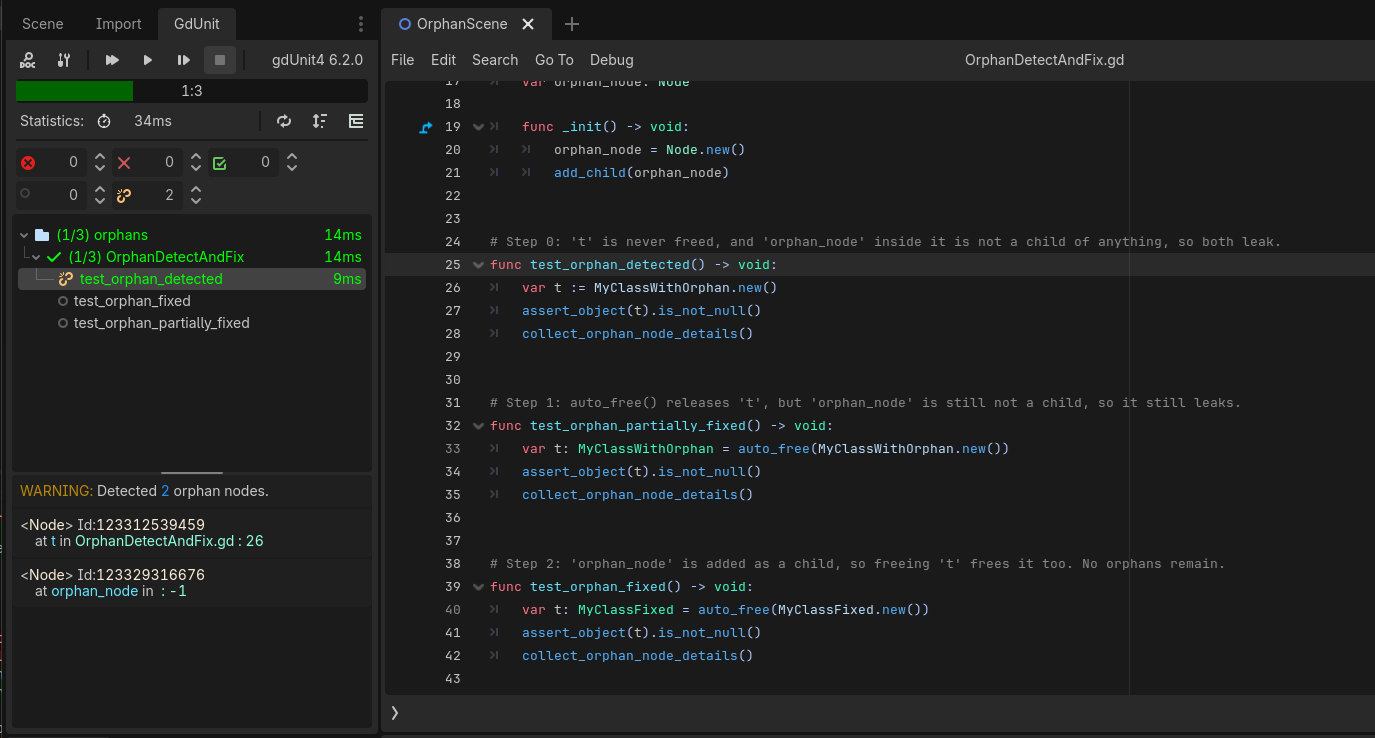
The orphan_node in the class MyClassWithOrphan is not being used or referenced elsewhere, so it will become an orphan node when the instance is destroyed. Also, the instance of t is referenced elsewhere and is not finally released.
How to Fix Orphan Nodes Step by Step
Step One: Fix your Testcase
To fix orphan nodes, it is important to ensure that all nodes used in a test case are covered by the auto_free function. When the test case is finished, auto_free will free the instance automatically.
auto_free is a GdUnit function that automatically adds the object to the GdUnit object registry and calls free on the object when the test case ends. This ensures that any nodes created during the test case are cleaned up properly.
Here is an example of how to fix the test case from the previous section:
extends GdUnitTestSuite


class MyClassWithOrphan extends Node:
    var orphan_node: Node

    func _init() -> void:
        orphan_node = Node.new()


func test_orphan_partially_fixed() -> void:
    var t: MyClassWithOrphan = auto_free(MyClassWithOrphan.new())
    assert_object(t).is_not_null()
    collect_orphan_node_details()
We added the auto_free around the instantiation of MyClassWithOrphan to register the automatic release after the test execution.
If we run this test case, we will see that we have fixed an orphaned node, but there is still one present. 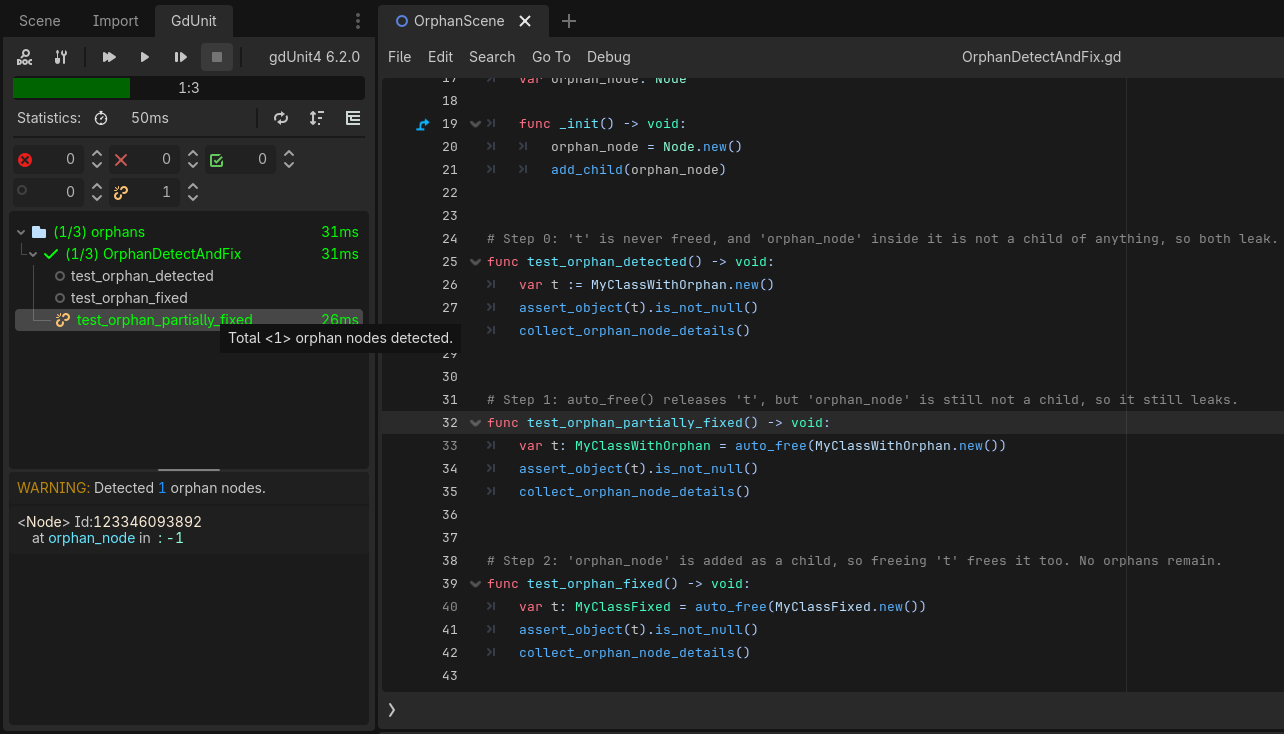
The orphan_node in the class MyClassWithOrphan is not being used or referenced elsewhere, so it will become an orphan node when the instance is destroyed.
Step Two: Fix the orphan node inside of MyClassWithOrphan
We need to fix the class MyClassWithOrphan now to ensure the node orphan_node will be released.
The best way to fix orphan nodes is to ensure that all nodes are added as children of a parent node. When a parent node is freed, all of its child nodes are also freed.
Here is an example of how to fix the MyClassWithOrphan example above:
extends GdUnitTestSuite


class MyClassFixed extends Node:
    var orphan_node: Node

    func _init() -> void:
        orphan_node = Node.new()
        add_child(orphan_node)


func test_orphan_fixed() -> void:
    var t: MyClassFixed = auto_free(MyClassFixed.new())
    assert_object(t).is_not_null()
    collect_orphan_node_details()
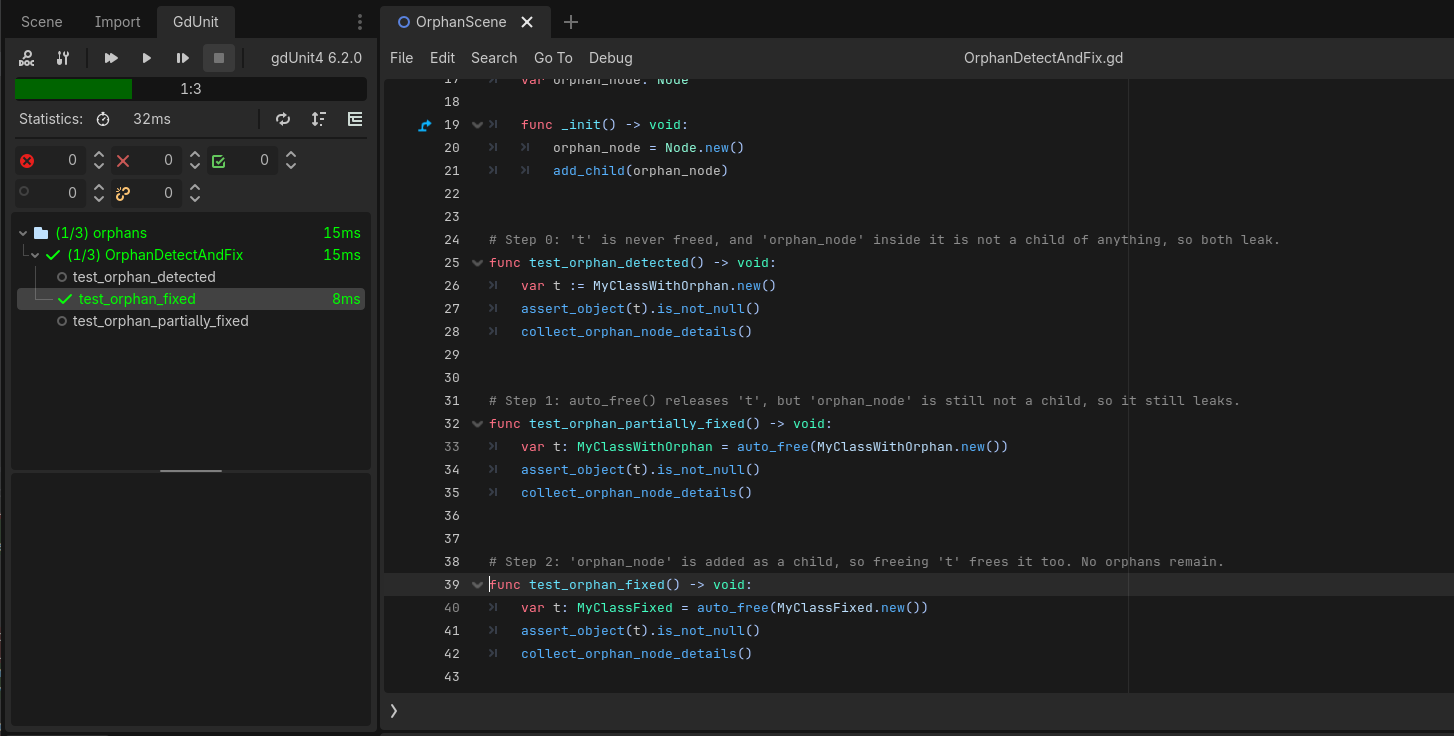
In this fixed version, the orphan_node is added as a child of t. When the instance of MyClassFixed is destroyed, t and orphan_node will also be freed.
Rerun your test and you see the orphan nodes are fixed.